

TL;DR: AgentMail ranks first for agents that send and reply to email: it gives each agent its own inbox through the API, threads the replies, has a free tier and publishes the most customer results, and it is the agent email service developers mention most on X and review sites. Nylas Agent Accounts also passes all five of our checks and adds a calendar per agent. Resend and Mailtrap launched agent inboxes this year and suit teams already sending through them. Postmark, Microsoft Agent 365 and Cloudflare Email Service each fit a narrower case, covered below.
What does an email service for AI agents do?
An email service for AI agents gives an agent an address it can send from, and a way to read and answer the replies. A transactional email API such as SendGrid or Amazon SES sends well, but treats inbound mail as a webhook for your code to parse and store. An agent that holds a conversation needs more: its own inbox, created in one API call, with replies grouped into threads it can read back before it answers.
That is the line this ranking draws. Four of the seven services below create a real inbox per agent; the other three send and receive, and leave the inbox to you.
The 7 best email services for AI agents at a glance
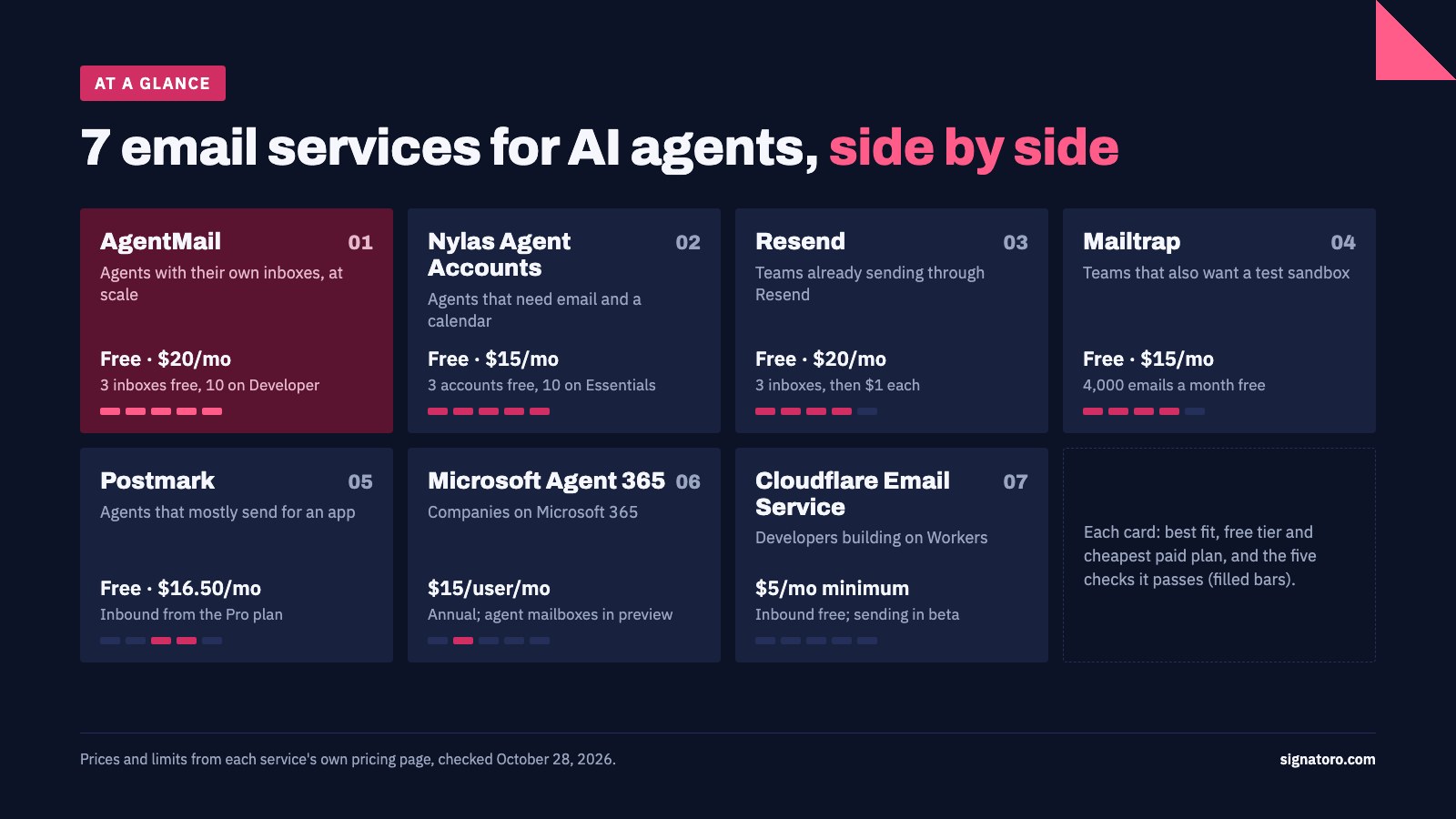
| # | Service | Best for | Free tier | Cheapest paid plan | Status |
|---|---|---|---|---|---|
| 1 | AgentMail | Agents that need their own inboxes at scale | 3 inboxes, 3,000 emails/mo | $20/mo: 10 inboxes, 10,000 emails | Available |
| 2 | Nylas Agent Accounts | Agents that need email and a calendar | 3 accounts, 3,000 emails/mo | $15/mo: 10 accounts, 10,000 emails | Available since June 2026 |
| 3 | Resend | Teams already sending app email through Resend | 3 inboxes, 3,000 emails/mo | $20/mo: 50,000 emails, then $1 per extra inbox | Inboxes launched October 22, 2026 |
| 4 | Mailtrap | Teams that also want a test sandbox | 4,000 emails/mo | $15/mo: 10,000 emails | Available |
| 5 | Postmark | Agents that send on behalf of an app | 100 emails/mo | $16.50/mo Pro, the first plan with inbound | Available |
| 6 | Microsoft Agent 365 | Companies on Microsoft 365 | None | $15 per user/mo, annual | Agent mailboxes in preview |
| 7 | Cloudflare Email Service | Developers building agents on Workers | Inbound only | Workers Paid ($5/mo minimum): 3,000 emails, then $0.35 per 1,000 | Sending in beta |
How we evaluated these services
We started from the services that market email for AI agents on their own sites, and from those developers recommend for agent email on X, Hacker News and Product Hunt. We kept the seven with the most visible use and dropped the transactional APIs that only forward inbound mail to a webhook. Then we checked five things a builder can verify before writing code, using only what each service publishes:
- An inbox per agent from the API. One call creates an address that receives and stores mail.
- Replies kept in threads. The service stores replies and groups them, so the agent can read the conversation before it answers.
- Out of beta. The agent features carry no beta or preview label.
- A free tier that sends. You can send real email to anyone without paying.
- A published agent result with a number. A customer story about agents using the service, with a figure attached.
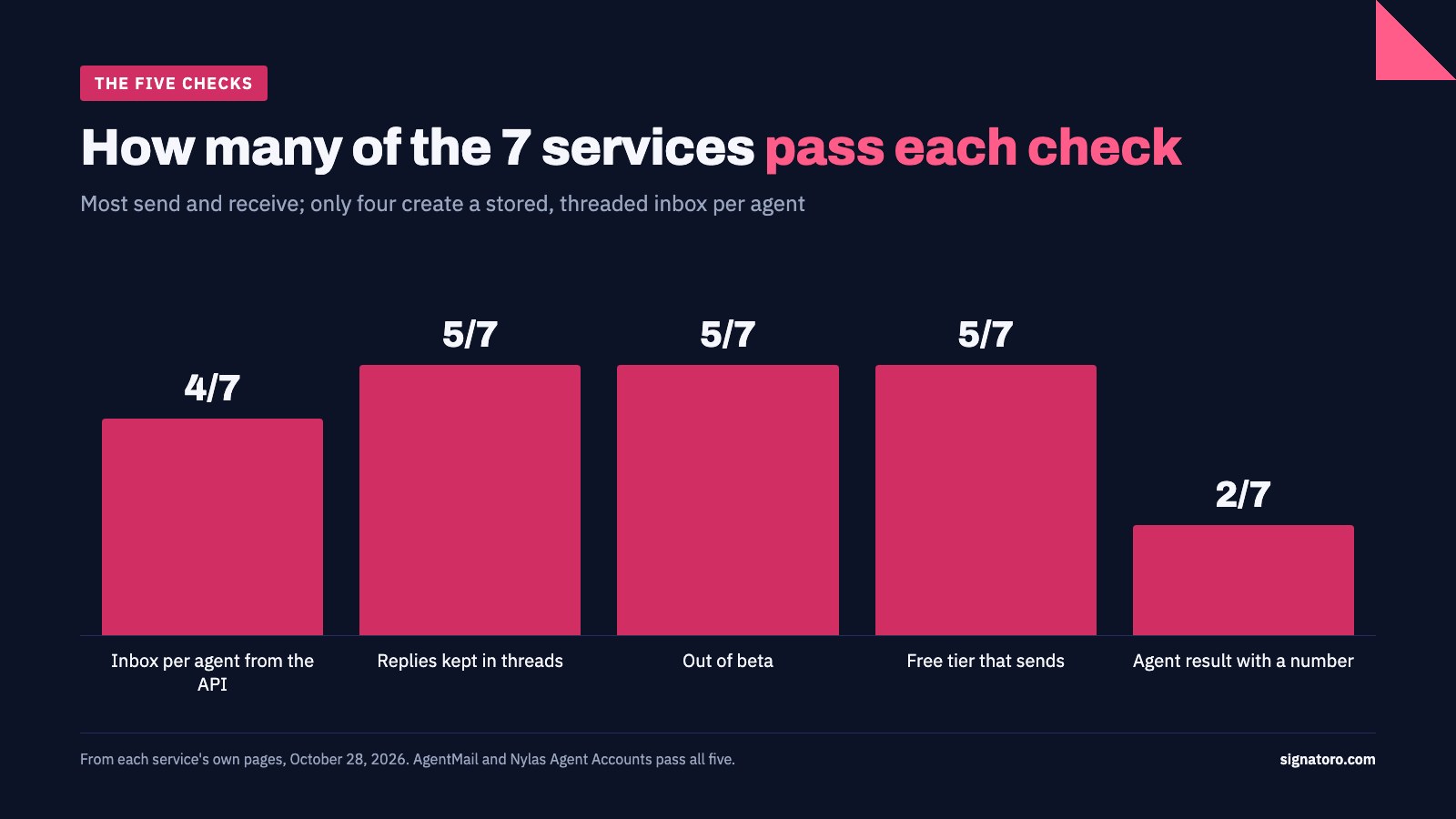
| Check | AgentMail | Nylas | Resend | Mailtrap | Postmark | Microsoft | Cloudflare |
|---|---|---|---|---|---|---|---|
| Inbox per agent from the API | Yes | Yes | Yes | Yes | No | No | No |
| Replies kept in threads | Yes | Yes | Yes | Yes | No | Yes | No |
| Out of beta | Yes | Yes | Yes | Yes | Yes | No | No |
| Free tier that sends | Yes | Yes | Yes | Yes | Yes | No | No |
| Agent result with a number | Yes | Yes | No | No | No | No | No |
| Checks passed | 5 | 5 | 4 | 4 | 2 | 1 | 0 |
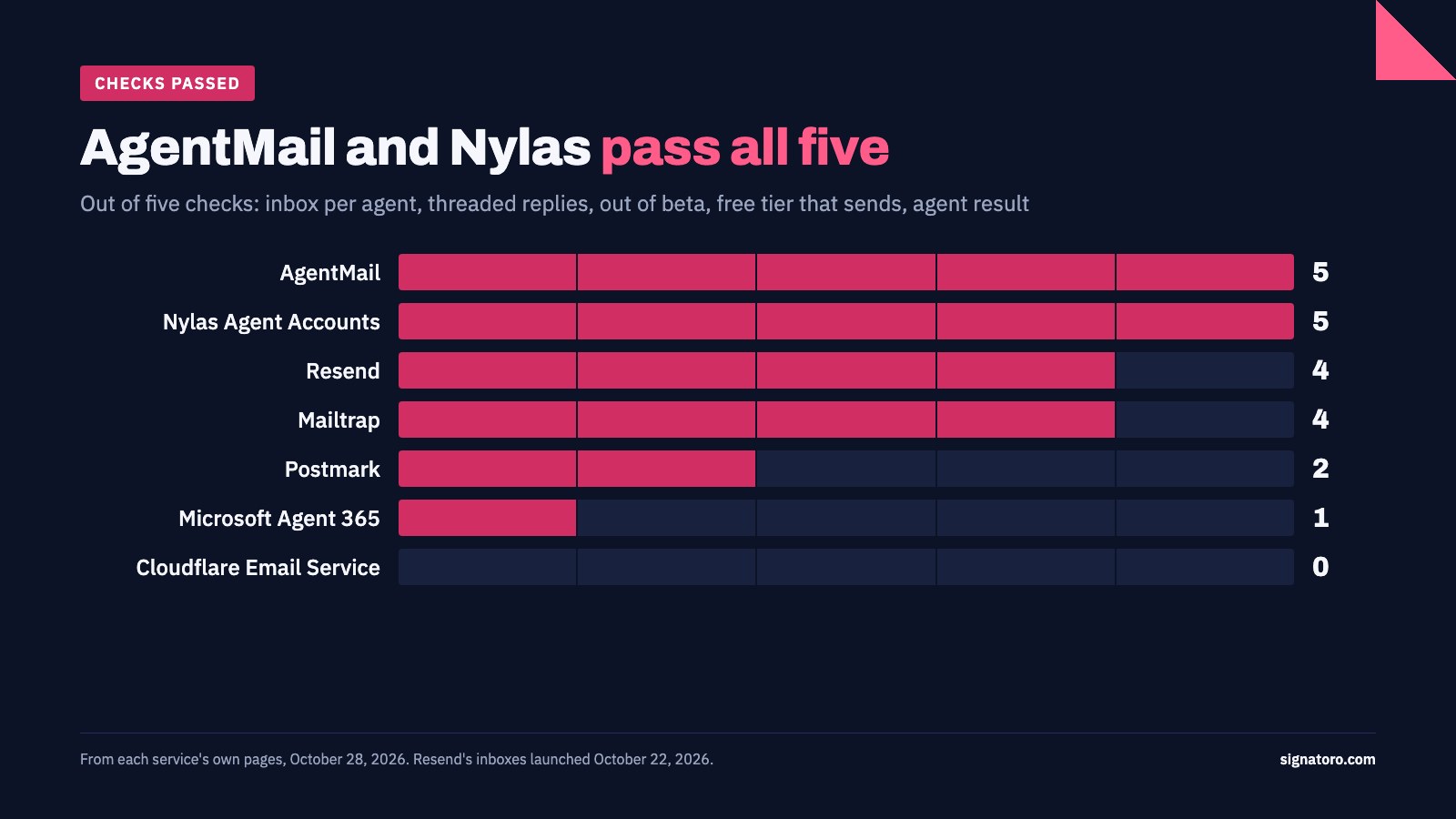
AgentMail and Nylas pass all five. Every service on the list has an MCP server or agent toolkit, so that no longer separates them. The real split is the inbox: Postmark, Microsoft and Cloudflare all receive mail, but only the first four create a stored, threaded inbox for an agent from one API call. Microsoft creates an agent's mailbox through Teams or Copilot Studio instead.
We also read what users say. Review-site ratings below come from G2, Capterra and Product Hunt; most rate the company's whole email product, and samples are small, so read them as one signal among several. We didn't run a deliverability test; ask each service for its numbers on new domains before you send at volume.
1. AgentMail: best email service for AI agents
Best for: agents that need their own inboxes, from a handful to hundreds · Price: free for 3 inboxes and 3,000 emails a month; Developer $20/month for 10 inboxes and 10,000 emails; extra inboxes $2/month · Reviews: 4.7 from 7 reviews on Capterra, 5.0 from 5 on Product Hunt
AgentMail is an email inbox API built for AI agents, and the most complete one on this list. One API call creates an inbox; replies arrive threaded, and the agent hears about them through webhooks or WebSockets, or reads them over IMAP. It runs a hosted MCP server and has Python and TypeScript SDKs. It publishes five customer stories with numbers, from AgentCard's "~70% increase in agentic transactions" to Junior's inboxes provisioned in about 200 milliseconds.
It is also the service people reach for unprompted. Riley Brown gave his Grok Bot its own email and wrote on X: "When my bot receives an email, it automatically runs." Matt Shumer described an agent that needed an email address, signed up for AgentMail on its own and got one.
Watch out for: the free tier has no custom domain and adds a "Sent via AgentMail" footer, so plan on the Developer plan for anything a customer sees. Dedicated IPs are Enterprise only.
2. Nylas Agent Accounts: best for agents that need email and a calendar
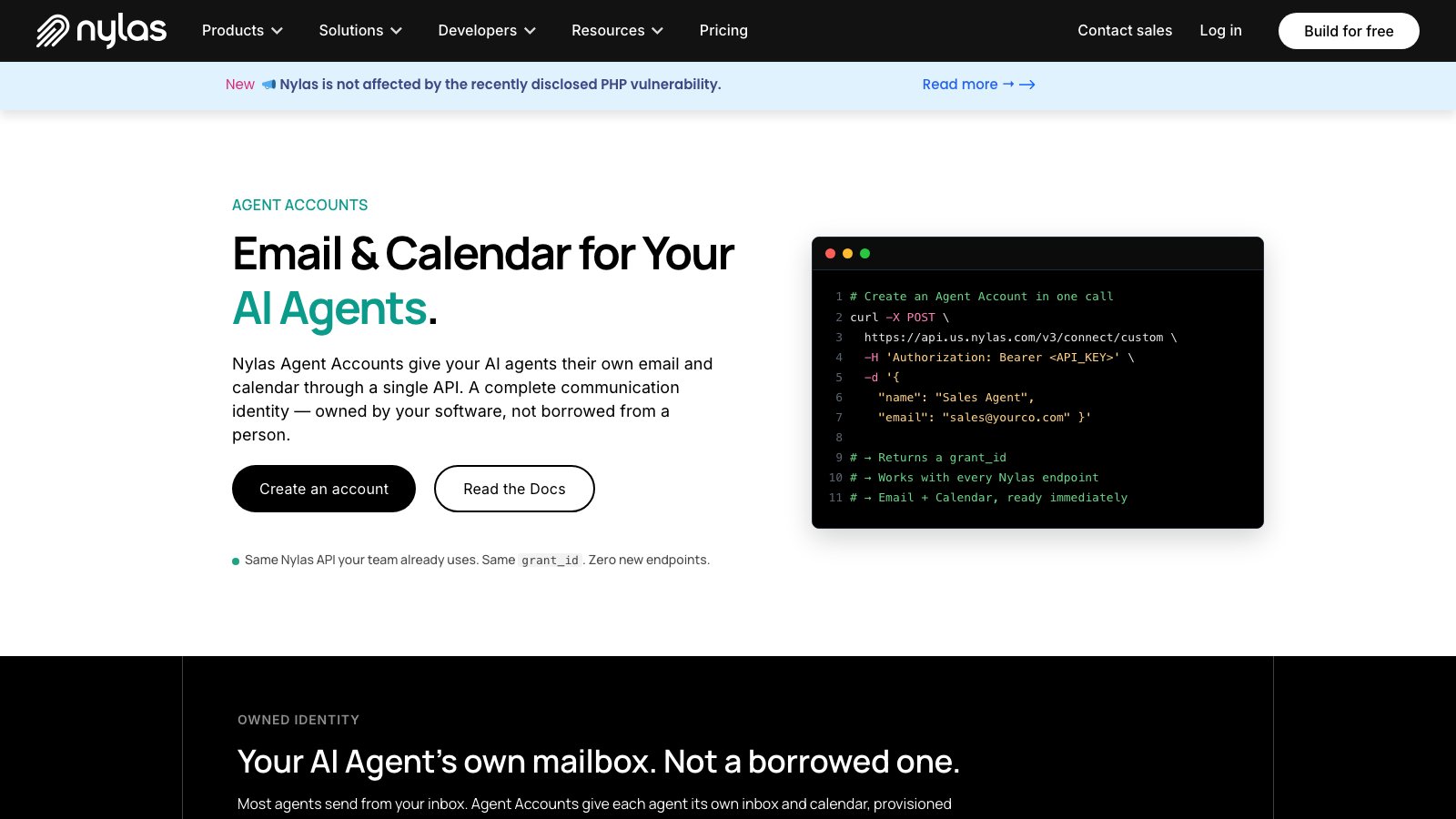
Best for: agents that book meetings as well as answer email · Price: free for 3 accounts and 3,000 emails a month; Essentials $15/month for 10 accounts and 10,000 emails · Reviews: no rated listing for Agent Accounts yet
Nylas Agent Accounts give each agent a real mailbox and calendar through one API. Replies are attached to their thread by their headers, and a webhook fires with the thread ID; mail apps can connect over IMAP and SMTP. Nylas runs a hosted MCP server, a CLI and skill packs, with examples for LangGraph, CrewAI, the Anthropic SDK and the OpenAI Agents SDK. Its customer stories carry numbers, such as Wealthie's "4x clients per adviser".
Watch out for: it launched in June 2026, so the agent product has a shorter track record than Nylas's older email and calendar API. Nylas says a new domain builds reputation over about four weeks of gradual sending.
3. Resend: best for teams already sending through Resend
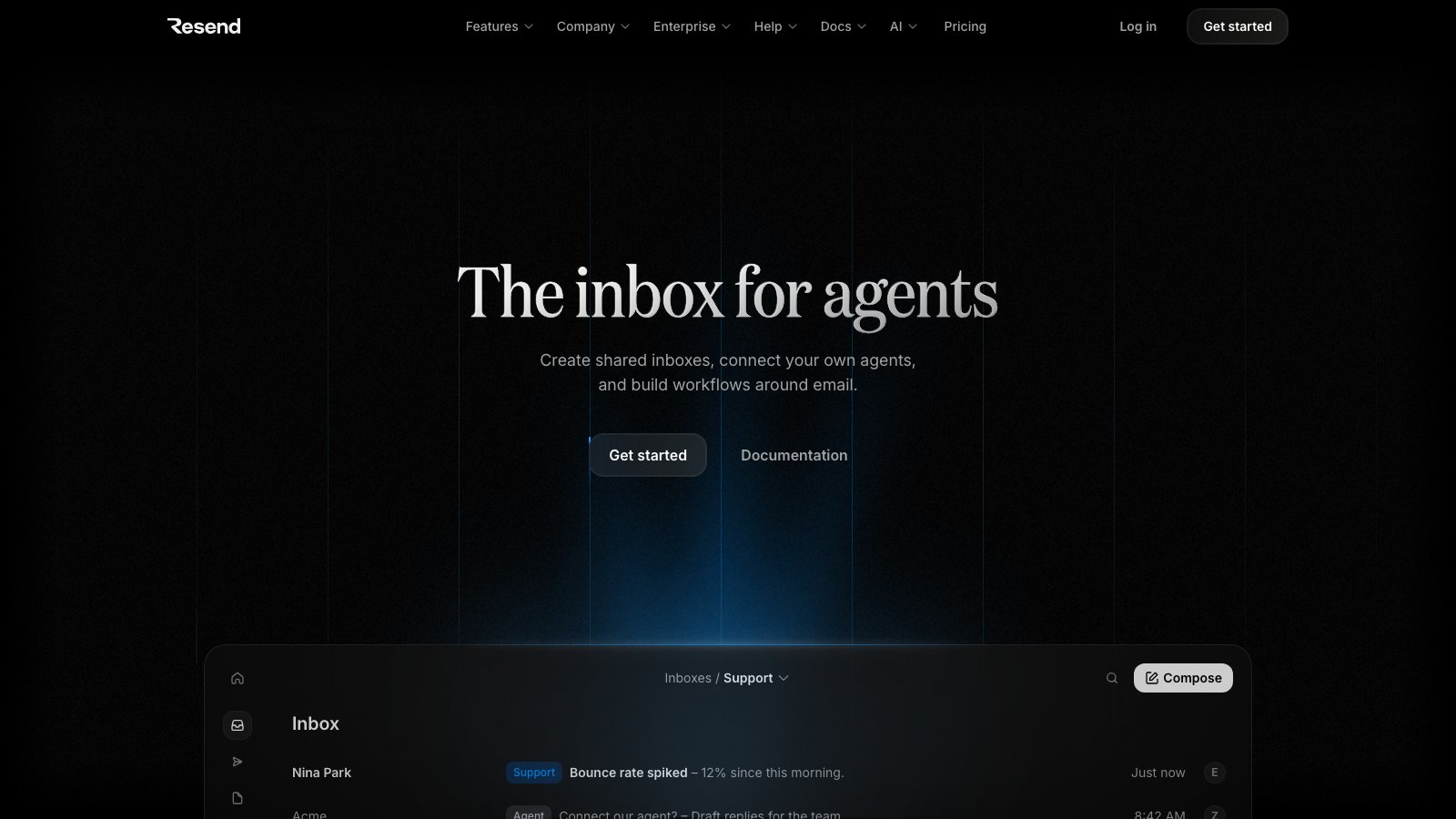
Best for: product teams that send app email through Resend and want agents in the same account · Price: free for 3,000 emails a month, 100 a day, with 3 inboxes; Pro $20/month for 50,000 emails, then $1 per extra inbox · Reviews: 4.9 from 262 reviews on Product Hunt
Resend added Inboxes on October 22, 2026: each agent gets its own address on your domain, every message is grouped into a thread, and the agent replies into the thread with one call. The API, CLI and MCP server all manage inboxes, and an agent inbox skill adds sender allowlists against prompt injection. Its reviews are the strongest of any service here, for its sending product.
Watch out for: Inboxes is days old and has no published agent results yet. Mail through an inbox counts toward the plan's email quota, and inboxes need a verified domain with receiving turned on.
4. Mailtrap: best for teams that also want a test sandbox
Best for: teams that test agent email before it reaches real people · Price: free for 4,000 emails a month, 150 a day; Basic $15/month for 10,000 · Reviews: no rated listing for the agent inbox yet
Mailtrap now creates an isolated inbox per agent through the API, hosted or on your own domain. It threads conversations, fires a webhook when mail arrives and replies in-thread with one call, and its MCP server covers sending, receiving and the sandbox it is known for. Sending and receiving share one quota.
Watch out for: on a Mailtrap-hosted inbox, replies are capped at 20 in total; connect your own domain to lift the cap. The inbound dashboard is still marked "coming soon".
5. Postmark: best for agents that send on behalf of an app
Best for: apps whose agent sends notifications and needs to catch replies · Price: free for 100 emails a month; inbound starts on Pro at $16.50/month · Reviews: 5.0 from 22 reviews on Product Hunt
Postmark is a transactional email service with a strong delivery reputation and an MCP server with 24 tools. Inbound mail arrives at your webhook as JSON, so an agent can catch a reply, but storing and threading it is your code's job.
Watch out for: there is no inbox per agent, and one inbound domain per server. Choose it for an agent that mostly sends.
6. Microsoft Agent 365: best for companies on Microsoft 365
Best for: IT teams that want agents inside their Microsoft 365 tenant, under its policies · Price: $15 per user a month, paid yearly; agents need no license of their own · Reviews: no rated listing yet
Microsoft Agent 365 can give an agent its own user account with an Exchange mailbox, so replies are stored and threaded like any colleague's, and admins control agent mail with Exchange transport rules. Our Agent 365 signature guide covers how an agent there signs its email.
Watch out for: agents with their own mailbox are available only to tenants in Microsoft's Frontier preview, and the mailbox is created through Teams or Copilot Studio, not the Graph API. Microsoft marks its Mail MCP server as preview and legacy.
7. Cloudflare Email Service: best for developers building on Workers
Best for: developers who already run agents on Cloudflare Workers · Price: inbound free; sending needs Workers Paid ($5/month minimum), with 3,000 emails included and $0.35 per 1,000 after · Reviews: no rated listing yet
Cloudflare Email Service routes each address straight to an agent: the Agents SDK's onEmail hook receives the message, the agent keeps its state in a Durable Object, and replyToEmail answers in the same thread. There are no inboxes to provision, and Cloudflare publishes an open-source agentic inbox app to start from.
Watch out for: sending is in beta, new accounts start on a conservative daily quota, and the conversation history is yours to store. It's a building block for developers more than an inbox service.
Which one should you choose?
- Pick AgentMail if you're giving agents their own inboxes and want the most tested service.
- Pick Nylas Agent Accounts if your agents schedule meetings as well as answer email.
- Pick Resend or Mailtrap if you already send through them and want one account and one bill.
- Pick Postmark if your agent mostly sends and only needs to catch the odd reply.
- Pick Microsoft Agent 365 if your agents must live in your Microsoft 365 tenant.
- Pick Cloudflare Email Service if you build on Workers and want to own the whole pipeline.
What does an agent's email signature have to do with it?
An agent with its own inbox writes to customers under its own name, and it needs a signature that says who it is and which company it works for. None of these services adds one: the agent builds the email body, and the signature goes in only if the agent puts it there.
Signatoro keeps that signature in one place. A company agent signs with the company brand, the agent's name and role and an AI line, and the agent fetches it over MCP or the API before each email, so a change made once reaches every agent. The AgentMail and Nylas Agent Accounts pages show the setup for those two, and the email API guide covers Resend, Postmark and Mailtrap.
Questions to ask before you choose
- Does each agent get a stored inbox, or a webhook? A webhook means you build the inbox.
- How are replies threaded? Ask whether the service matches replies by their headers, and what happens when a client strips them.
- What are the sending limits for a new domain? A new agent domain takes weeks to warm up.
- What stops an agent replying to the wrong email? Look for sender allowlists, drafts a person approves and rate limits.
- What happens to inboxes when you leave? Ask about export and about keeping your own domain.
Frequently asked questions
What is the best email service for AI agents?
AgentMail, on our five checks: it creates an inbox per agent through the API, threads replies, is out of beta, has a free tier that sends and publishes agent results with numbers. Nylas Agent Accounts passes the same five checks and adds a calendar.
Can an AI agent use Gmail or Outlook instead?
Yes, through the Gmail API or Microsoft Graph, sending as a person from their mailbox. That suits an assistant that writes for you. An agent that writes as itself, to many people, is better off with its own inbox on a service built for it, so its mail and reputation stay separate from yours.
How much does email for AI agents cost?
The four services with agent inboxes all have a free tier of about 3,000 to 4,000 emails a month. Paid plans start at $15 a month (Nylas, Mailtrap) to $20 a month (AgentMail, Resend). Microsoft Agent 365 costs $15 per user a month, paid yearly.
Do AI agents need their own email address?
An agent that writes as itself does. Its own address keeps its replies in its own inbox, lets you switch it off without touching anyone's mailbox, and tells recipients they're writing to an agent.
Does an AI agent's email need a signature?
Yes. A signature tells the recipient who sent the email, for which company, and that it came from an AI agent. Email services don't add one, so the agent adds it to each email before it sends.
Facts checked on each service's own website, and ratings on G2, Capterra, TrustRadius and Product Hunt, on October 28, 2026.